


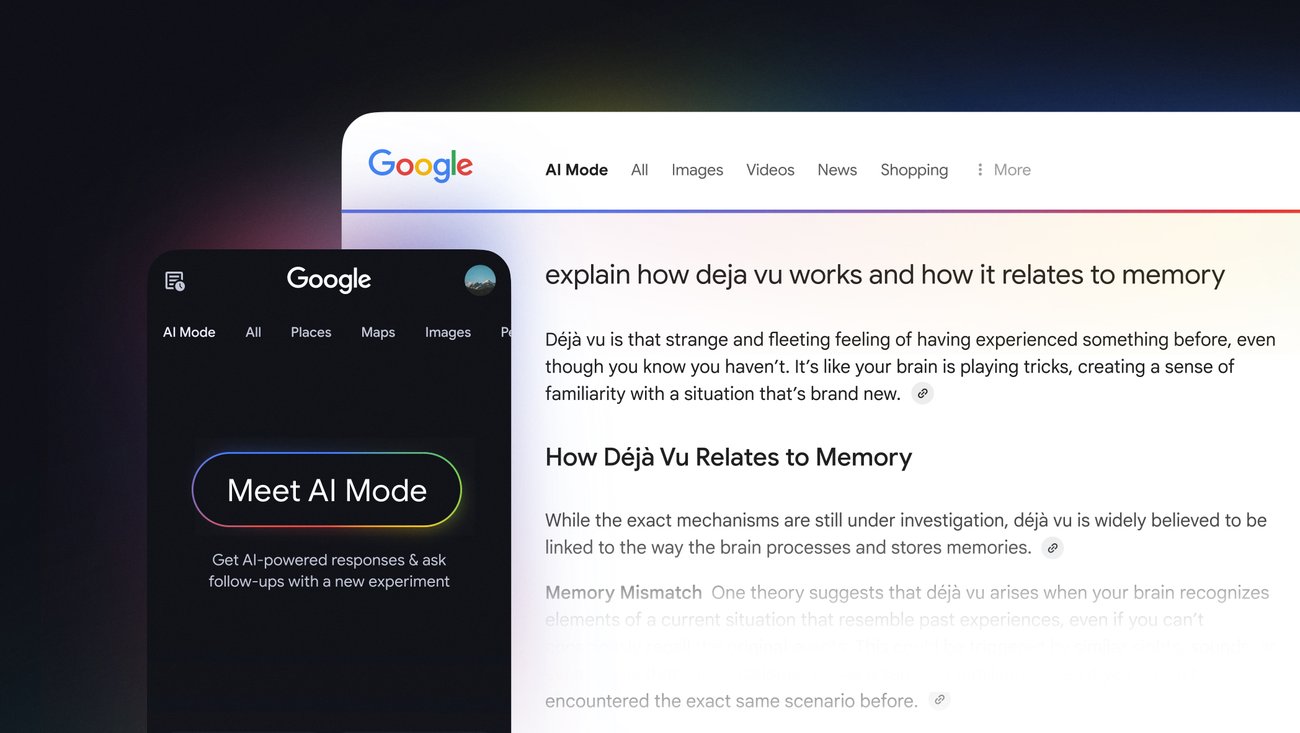
Imagine asking Google a question — and instead of sending you to 10 blue links — it instantly gives you the answer, breaks it down, compares options, shows you a summary of recent news, and even offers to help you draft a related email.
That’s not the future. That’s what AI mode in Google is beginning to do right now.
Over the years, Google Search has evolved from a keyword-based search engine to an intelligent assistant. But with the integration of artificial intelligence (AI), especially through tools like Search Generative Experience (SGE), Gemini, and AI Workspace features, Google is redefining how we find, learn, and interact with information.
Let’s explore how AI mode in Google is changing the game — for casual users, students, professionals, and businesses alike.
What Is AI Mode in Google?
AI Mode refers to Google’s integration of artificial intelligence into its core services, including:
- Search Generative Experience (SGE): AI-powered summaries at the top of search results
- Gemini (formerly Bard): Google’s conversational AI assistant
- Workspace AI tools: Smart features in Gmail, Docs, Sheets, Slides
- AI features in Shopping, Ads, and Chrome
The goal? To reduce manual effort, save time, and enhance user experience.
Smarter Search with AI
Gone are the days when you had to click through five articles to understand a topic. With AI in Google Search, you now get rich, AI-generated overviews that explain things clearly, often with links to relevant sources for deeper reading.
Example:
Search “How does climate change affect oceans?”
Instead of a list of web pages, you’ll see:
- A 2-3 paragraph AI summary
- Sub-points on warming, coral bleaching, sea-level rise
- Links to supporting studies and expert sites
Why it matters: You get the gist in seconds — without information overload.
Conversational Follow-ups
Google’s AI is now designed to handle multi-turn conversations, just like you’d talk to a real assistant.
Scenario:
You search “Best laptops under ₹50,000.”
Google suggests 3 models.
You ask, “Which of these has the best battery life?”
Then, “Does it support video editing?”
With AI mode, it remembers context and gives intelligent follow-ups. You’re not starting from scratch every time.
This is particularly useful for:
- Research projects
- Shopping decisions
- Complex problem-solving
AI Writing in Gmail and Docs
If you’re a writer, marketer, student, or office employee, you’ll love this.
Google’s AI can now write for you.
- In Gmail: Type “Draft an email to my boss asking for leave next Friday” – and it’s done.
- In Docs: Ask it to summarize a long meeting transcript, rephrase a paragraph, or create content outlines.
- In Slides: Generate images using AI prompts to visually support your ideas.
Benefit: Saves HOURS of writing and editing time. Especially if you’re not confident with grammar or structure.
Smart Sheets and Smarter Business
In Google Sheets, AI now helps you:
- Suggest formulas
- Auto-fill data
- Detect patterns
- Generate summaries
For small business owners or analysts, this means:
- Less manual work
- More time for strategy
Combine this with AI-powered Google Ads suggestions, and you can even automate ad copy or optimize budgets based on past performance.
Smarter Shopping with AI
Google Shopping has become an AI assistant in itself. It now:
- Analyzes thousands of reviews
- Highlights pros/cons of products
- Compares prices across platforms
- Predicts price trends
Let’s say you’re buying noise-canceling headphones. Instead of spending hours comparing, Google shows a quick breakdown:
- Battery life: 30 hours ✅
- Review sentiment: Mostly positive ✅
- Best price: ₹5,499 on Amazon ✅
That’s not just convenient — that’s a smart buyer’s dream.
Translation, Accessibility, and Beyond
Google Lens + Translate + AI = Magic.
Just point your camera at a sign in a foreign language — AI translates it instantly. You can even copy the translated text and search it.
In Chrome, AI summarization helps you quickly understand long articles or pages written in complex English.
For those with visual, reading, or learning challenges, these tools are not just helpful — they’re empowering.
What About Gemini (Google’s Chatbot)?
If you’ve heard of ChatGPT, think of Gemini as Google’s answer — but deeply integrated into your Google account.
Gemini can:
- Answer questions
- Help write code
- Analyze files
- Create plans or strategies
- Pull data from your Gmail, Drive, or Docs (with permission)
Example: “Show me all emails related to my Thailand trip and summarize the travel bookings.”
Boom. Gemini handles it.
It’s like having a personal assistant that knows your digital life — and respects your privacy.
Is AI Mode Safe?
This is a common concern. Google emphasizes responsible AI development, with features that:
- Cite sources
- Allow user control over data
- Offer transparency on what is generated vs human-written
You can always opt out or limit AI use in your settings.
AI mode in Google isn’t just a feature — it’s a shift in how we access, process, and use information.
Whether you’re:
- A student researching a topic
- A professional drafting a proposal
- A shopper comparing gadgets
- A business optimizing ads
Google’s AI tools are here to make your life easier, faster, and smarter.
The best part? You don’t have to learn anything new. You just do what you normally do — and Google gets smarter for you.
So… Have You Tried AI Mode Yet?
If you haven’t, open Chrome and search something complex. Look for the AI summary at the top. Try Gemini. Play around with Gmail’s “Help Me Write.”
Because the future of search… isn’t searching anymore.
It’s knowing.

















Leave a comment